
Content Vault
The Vault is the content library of your agency — one per model, organized in folders, ready to send into any chat in two clicks.
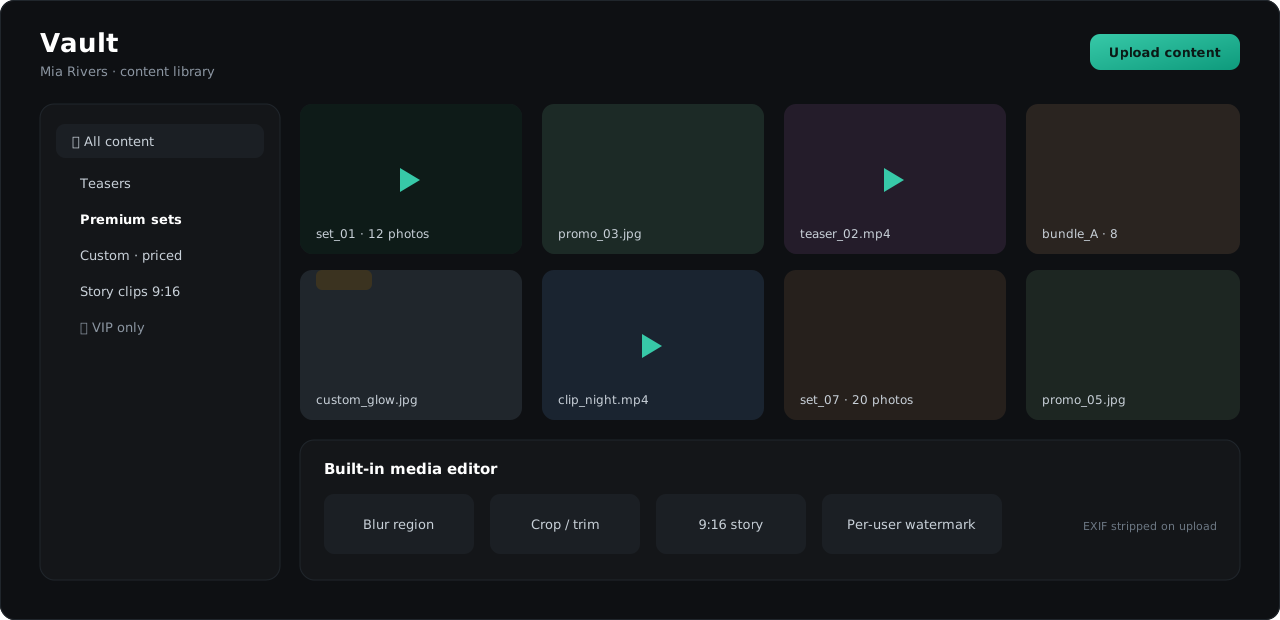
Organizing content
- Folders per model — build any tree: photo sets, packs, teasers, custom-priced content.
- Bulk operations — select many items to move, transfer between folders or delete, including whole subtrees.
- Access control — folders can be restricted so each role or teammate sees only what they should.
Uploading
- Upload from the Vault page, or drag & drop straight into a chat — quick-uploaded files are sent immediately and land in a dedicated area so your curated library stays clean.
- TelePong strips technical metadata (EXIF) from uploads automatically — no device or location traces leak to fans.
- Video posters/thumbnails generate automatically.
Editing media
The built-in media editor covers the everyday needs without leaving TelePong:
- blur any region (faces, tattoos, backgrounds),
- crop stills and trim video,
- prepare 9:16 versions for stories.
Edits are non-destructive — the original stays in the Vault.
Sending into chats
Pick items in the composer’s Vault tab and send. Multiple items go out as a proper Telegram album. Frequently sent content delivers instantly — TelePong reuses what it can to keep sending fast.
Protection
- Per-user watermarks — content can carry an invisible-to-the-eye watermark tied to the recipient, so leaks are traceable.
- Screenshot alerts — TelePong flags screenshot attempts where Telegram exposes them.
- Copy protection — turn on per-chat saving/forwarding restrictions (requires Telegram Premium on the account); TelePong keeps the setting in sync.